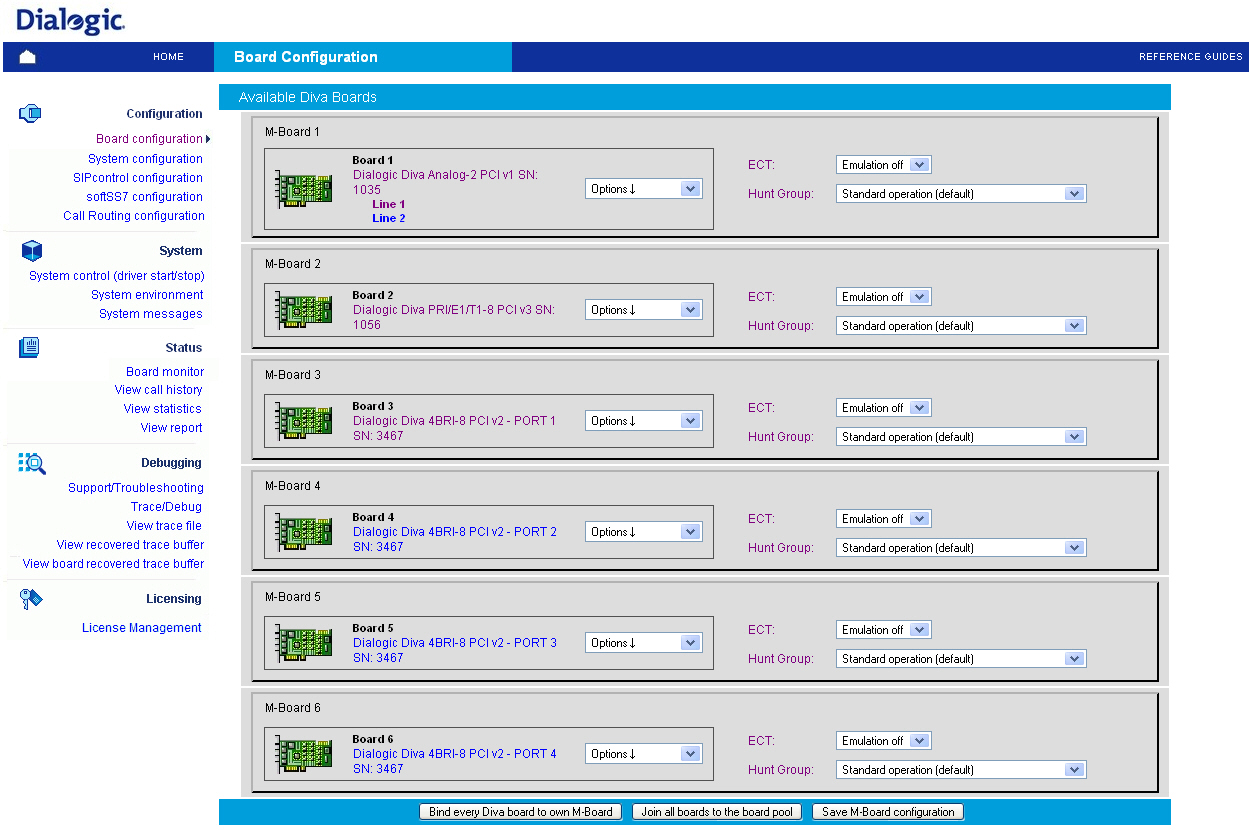
If you click Board configuration on the left side, the following page opens, which allows you to create/change the configuration of the Dialogic® Diva® Media Boards, to restart or disable the selected Diva Media Board if necessary, and to start the Diva Media Board identification process. You can also configure the M-Board:
Use the Restart symbol to restart. In the drop-down menu on the right of the Diva Media Board description you can select different options:
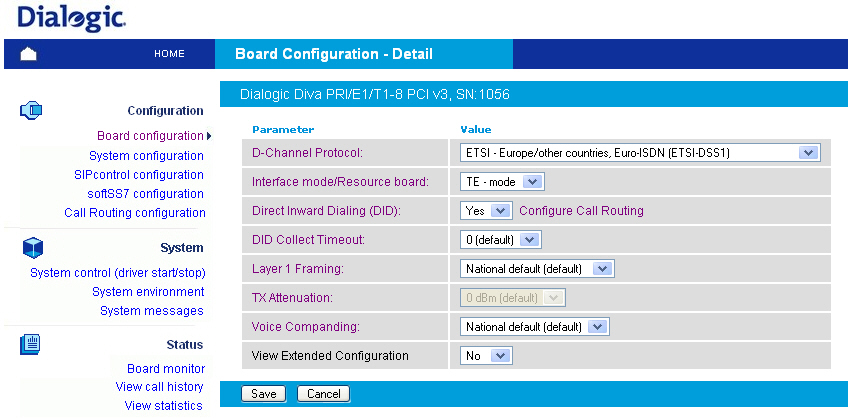
As soon as the configuration process is complete, click Save to update the Diva Media Board configuration. The Diva Media Board configuration utility tries to update the changed configuration parameters on demand, i.e., without board restart. If the changed parameters cannot be updated in this way, the Dialogic® Diva® WEB server will ask you to restart the Diva Media Board.