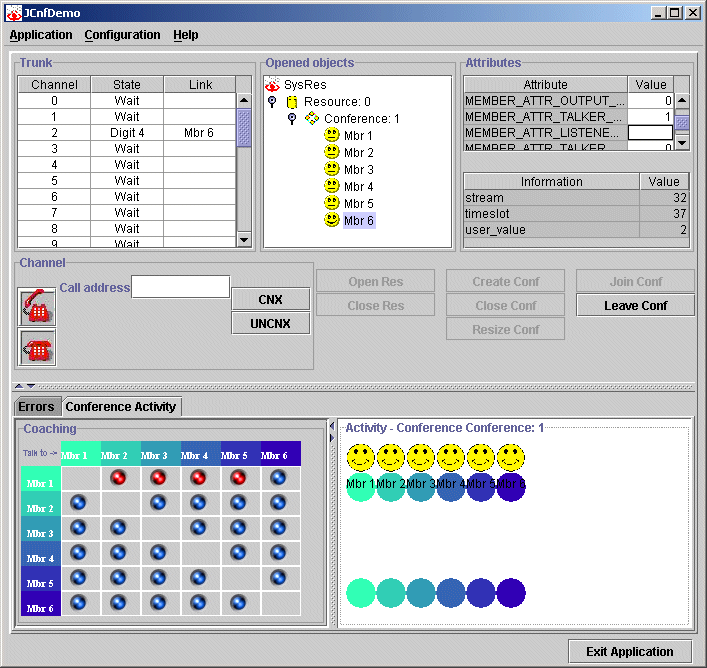
Perform the following steps to change attributes for individual members and conferences:
In the Opened Objects list of the JCnfDemo window, select the member or conference whose attributes you want to change.
In the Attributes section, double-click on the attribute value and edit it. The new value is validated, and the attribute is changed.