Perform the following steps to open a resource:
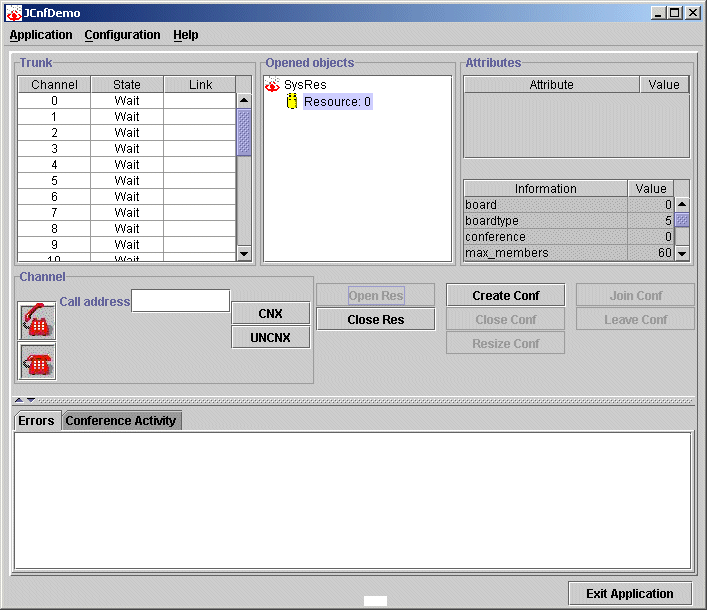
On the JCnfDemo window, click Open Resource.
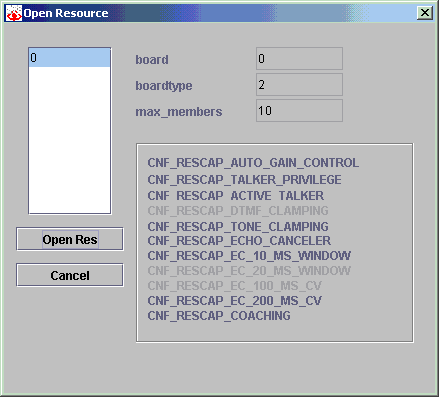
The Open Resource dialog box displays, listing the conference resources configured in the system:
Select a resource from the Resources box. The following information about the resource displays:
Board number from the board keyword file
Board type from the NaturalConference configuration file (cnf.cfg)
Maximum number of members the resource supports
Capabilities the resource supports
Note: If the resource is already open, only the resource number is listed in the Resources box. The related fields are not filled in.
Click Open to open the resource. The resource opens and displays in the Opened Objects list on the JCnfDemo window. The resource information displays in the Information box.