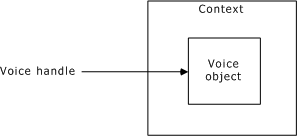
A voice object is a file or a memory block. To use a voice object, you need a voice handle. A voice handle identifies an open voice object. Use a voice handle with a message number to identify a segment of speech in the object for playing, recording, or editing.
A voice handle is always associated with a context. When you specify a voice handle, the context is implied, as illustrated:
To access the same voice object (for example, the same prompt file),
Open the voice object on separate contexts, or
Share the open voice object.
To share an open voice object, use ctaAttachObject on a shared context. An action that one application performs on a shared voice object can affect other applications using the voice object. For example, a call to vceClose closes the voice object to all applications with an open handle to the voice object. Subsequent calls to the closed voice object return an error. For more information on shared contexts and service objects, refer to the Natural Access Developer's Reference Manual.
|
To... |
Use... |
|
Access an existing file for play or record |
|
|
Create a new voice file |
|
|
Access a range of memory |
|
|
Access a file (or device) that is already opened |
|
|
Release a voice handle, close the associated file if vceOpenFile or vceCreateFile obtained the handle, and free the memory that vceCreateMemory allocated. |