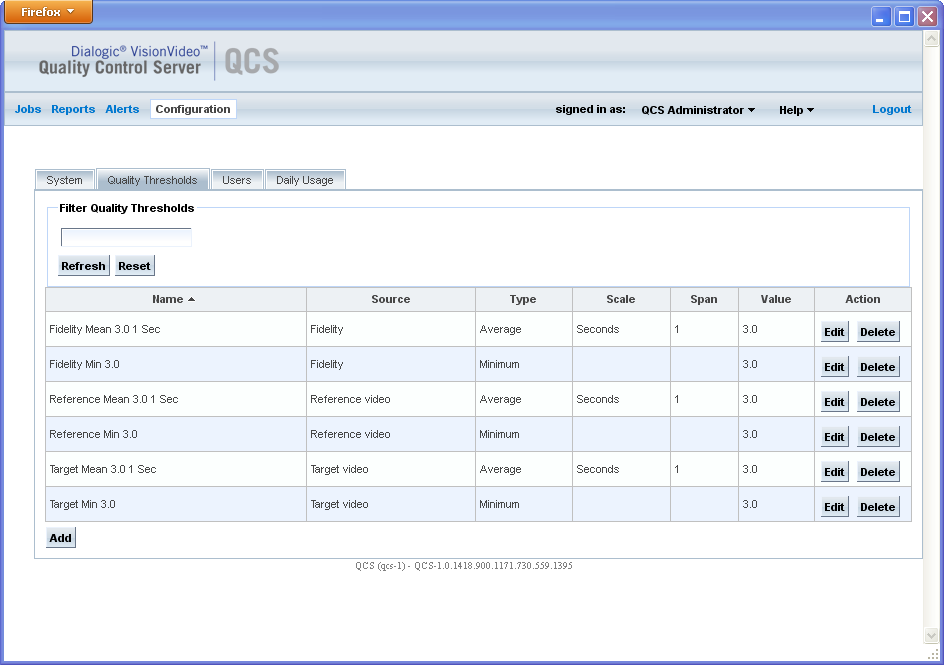
The Quality Thresholds page in the Web UI contains quality threshold parameters that you must configure prior to system operation. To access this page, click Configuration on the menu bar and click the Quality Thresholds tab.
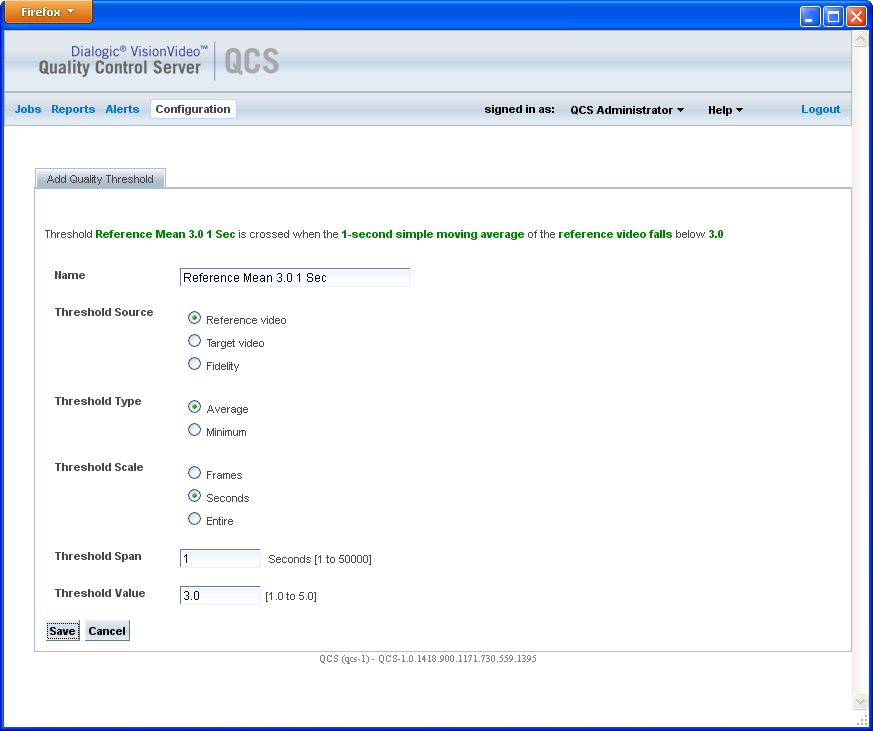
On a server with newly installed VisionVideo QCS software, no quality thresholds are defined. Click Add to configure quality thresholds.
The list of quality thresholds can be filtered by entering the threshold name (or partial name) in the Filter Quality Thresholds field and clicking Refresh.
Parameter |
Description |
Name |
Name that identifies the quality threshold. This is an unformatted string that is used for convenient reference to thresholds. |
Threshold Source |
The signal to which the threshold is applied. Valid values:
|
Threshold Type |
Type of threshold. A threshold can be applied to every value of the threshold source, or to the average value. Valid values:
|
Threshold Scale |
When Threshold Type is set to Average, this field specifies the sliding window over which the values are averaged. Valid values:
|
Threshold Span |
The length of the sliding window over which average quality or fidelity values are calculated. The units are specified in Threshold Scale. |
Threshold Value |
The threshold value. Valid values are 1.0 to 5.0, where 5.0 is the highest quality. |
Following is an example of a Quality Thresholds page with various thresholds configured.
Following is an example of an Add Quality Threshold page from the Configuration menu.