Login to the Console
Proceed as follows to connect to the Console.
Launch your web browser. In the address field, enter the
IP address in URL format. For example, https://<ip_address_of_eth0>.
The Login page appears.
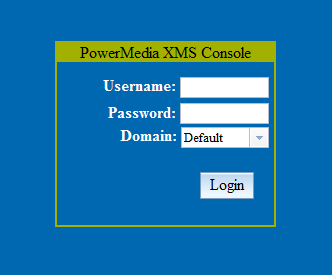
Enter "superadmin" for the Username
field and "admin" for the Password
field. The superadmin user allows access to all configuration functions
available on the Console.
Click Login. After user information is authenticated,
you are logged on to the initial General
page of the Systems menu.
The Console is designed as follows:
The page title at the top.
A side-bar menu used for navigation.
One or more tabs at the top that contain more information
for each side-bar menu item.
A display area for viewing and changing data.
The option to log out appears on each screen in the upper right-hand
corner.
Click logout. Depending on your browser, a popup
similar to the following appears to confirm logout.
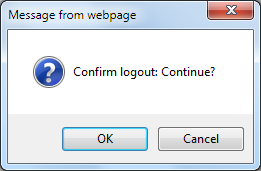
Click Cancel to return to the Console.
Click OK to close the Console session and return
to the Console’s Login page.