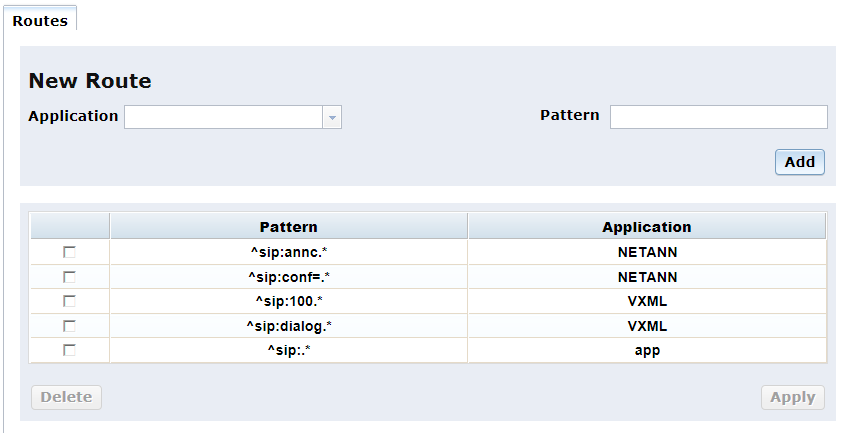
Accessible in Native mode only, the Routing menu opens to the Routes page which illustrates how different applications like NETANN, VoiceXML, and RESTful, are engaged with PowerMedia XMS based on the content of SIP URI.
Proceed as follows to configure the Routes parameters:
There are two editable fields as part of the New Route section on the Routes page, Application and Pattern. Enter new route by clicking Add button.
Note: A services restart will automatically be performed once you click Apply.
The new route will now be listed on the Routes page. Routes can be deleted by clicking in the appropriate check box and clicking the Delete button.
Note: The default route for all calls is the application ID "app".