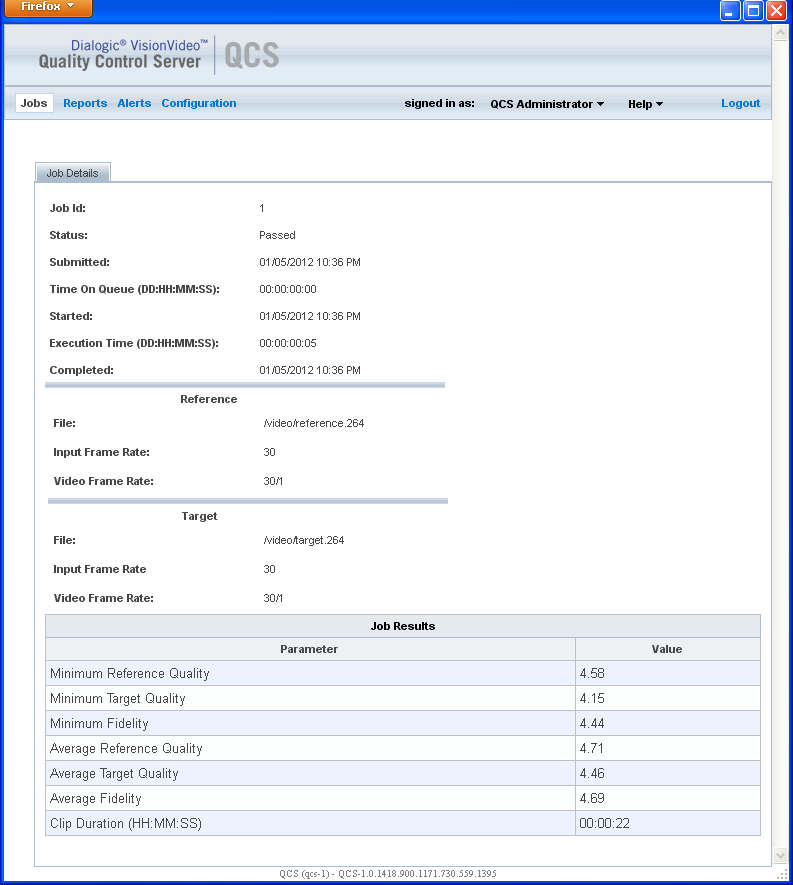
You can view the detailed results of a job on the Job Details page.
After you have accessed the Jobs page and displayed job results as described in Viewing Job Results, click View next to the job you wish to see in more detail. The Job Details page is then displayed.
The Job Details page provides the following categories of information:
Job status: passed or failed
Job execution: date and time of submission, time on queue, date and time completed
Reference file information: file name and location, frame rate
Target file information: file name and location, frame rate
Job results: quality values, measured duration of the video (in seconds), measured process time (in seconds)
Following is an example of a Job Details page from the Jobs menu.