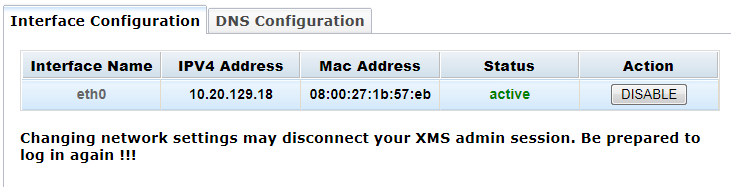
From the Network menu, you can view and change the Interface Configuration and the DNS Configuration.
Note: This Network menu applies to system network settings, while the Protocol menu applies to PowerMedia XMS network settings.
The Interface Configuration page is used to configure the IPV4 network device. The table displays the number of network devices and their IPV4 configuration in the system.
Click Interface Name to display the Active network device configuration dialog box.
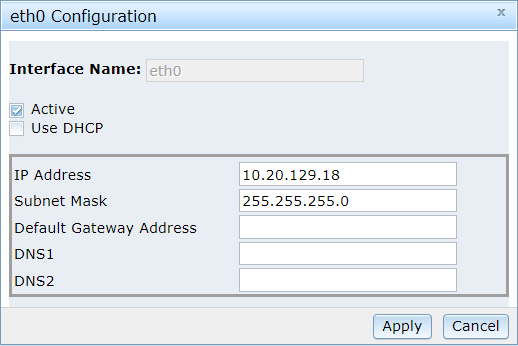
If the Use DHCP check box is not checked, the static IPV4 configuration is provided.
Click Apply to save changes.
The DNS client is configured using the DNS Configuration page.
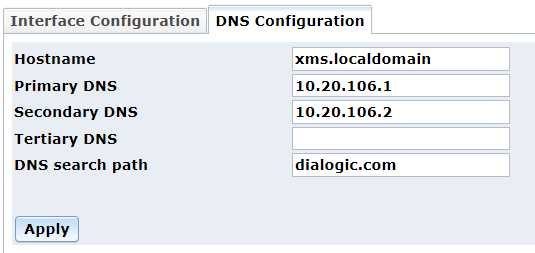
Proceed as follows to configure the DNS Configuration parameters:
In the Hostname field, enter the name of the host machine.
In the Primary DNS field, enter the Primary DNS server IP address.
In the Secondary DNS field, enter the Secondary DNS server IP address.
In the Tertiary DNS field, enter the Tertiary DNS server IP address.
In the DNS search path field, enter the search path for DNS servers.
Click Apply to save changes.