To test the digital trunk application without connecting to the telephone network, connect the CG 6060C board in loopback mode. The procedure varies depending on the CG 6060C board variant. Refer to the appropriate section for your board variant:
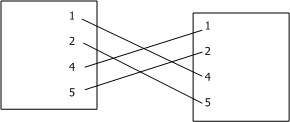
The following illustration shows the connector wiring on a loopback cable:
To test the CG 6060C board variant with RJ-48C interfaces in loopback mode, use a crossover cable to connect trunk 1 and trunk 2 as shown in the following illustration:
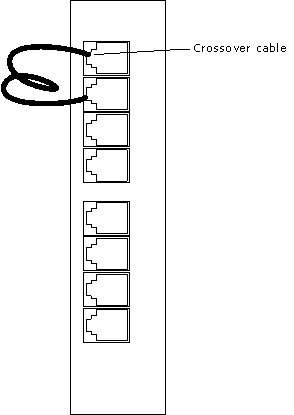
The crossover cable connects the transmit signals from one trunk to the receive signals on another trunk by connecting the pins.
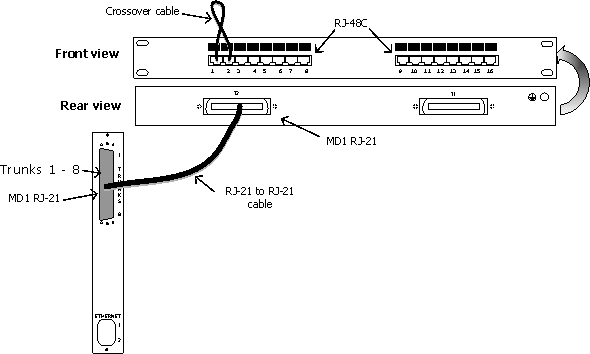
To test CG 6060C boards with MD1 RJ-21 interfaces in loopback mode, use signal entry panel or a punchdown block with eight RJ-48C interfaces. Connect a crossover cable for each interface to set up the loopback configuration. Connect a shielded 50-pin Telco cable to connect the CG 6060C to the signal entry panel or punchdown block.
The crossover cable connects the transmit signals from one trunk to the receive signals on another trunk. The following illustration shows the CG 6060C loopback configuration on a signal entry panel: